
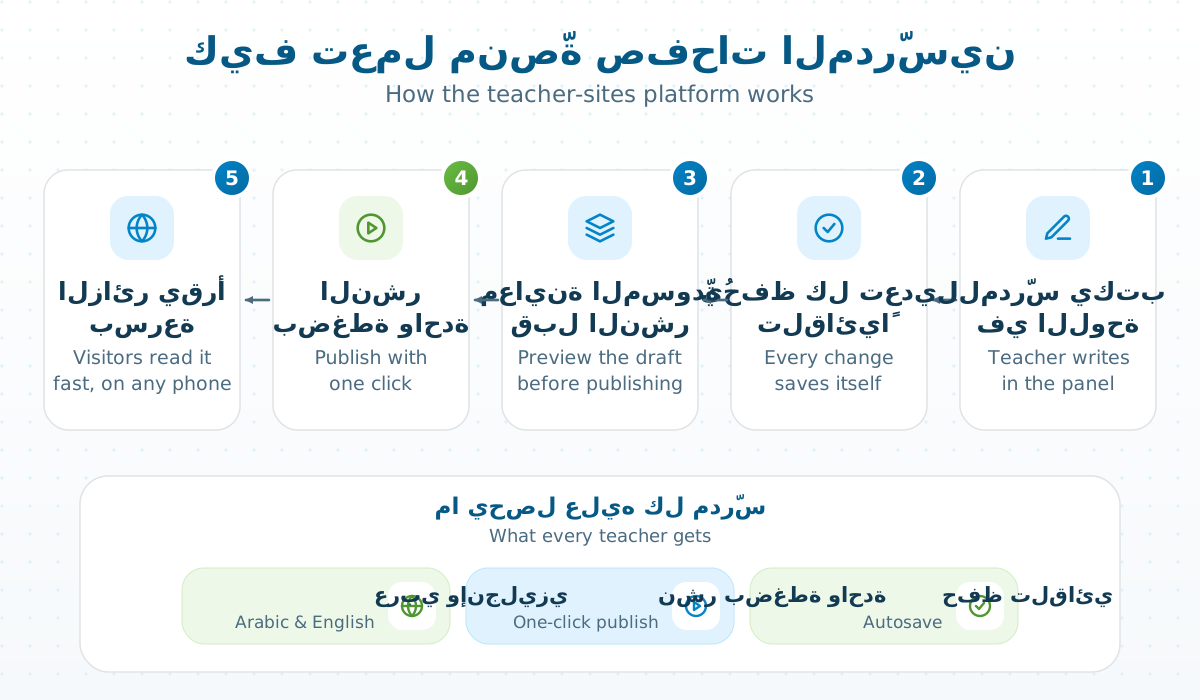
لكل عضو هيئة تدريسية وموظف صفحة على sites.ucas.edu.ps، يكتبها بنفسه في لوحة بسيطة وينشرها بضغطة واحدة. هذه الصفحة التي تقرأها مثال حيّ عليها.
ما يحصل عليه كل مدرّس
| الميزة | ماذا تعني |
|---|---|
| محرّر غنيّ | عناوين وجداول وصور وشيفرة وتنبيهات وطيّ — دون أي HTML. |
| حفظ تلقائي ومسودّة | كل تعديل يُحفظ وحده، ولا يظهر للزوار حتى تنشره. |
| عربي وإنجليزي | نسختان لكل صفحة، والزائر يختار. |
| إعلانات ونماذج ومدوّنة | كلها من اللوحة نفسها. |
| نسخ احتياطية | نسخة لكل موقع، واستعادة بضغطة. |
الموقع العام يفتح بسرعة حتى على اتصال ضعيف، ويعمل على الهاتف كما على الحاسوب.
كيف تبدأ صفحتك؟
ادخل «لوحتي» بحساب الكلية، أو من تطبيق UCAS. صفحتك موجودة مسبقاً بسيرتك من سجلات الكلية؛ عدّل ما تشاء واضغط «نشر».
Every faculty and staff member has a site at sites.ucas.edu.ps, written by themselves in a simple panel and published with one click. The page you are reading is a live example.
What every teacher gets
| Feature | What it means |
|---|---|
| Rich editor | Headings, tables, pictures, code, callouts and toggles — no HTML needed. |
| Autosave and drafts | Every edit saves itself, and visitors see nothing until you publish. |
| Arabic and English | Two versions of each page; the visitor chooses. |
| Announcements, forms, blog | All from the same panel. |
| Backups | A backup per site, restored with one click. |
The public site opens fast even on a weak connection, and works on a phone as on a computer.
How do you start your site?
Open the panel with your college account, or from the UCAS app. Your site already exists with your CV from the college records; edit what you like and press Publish.
التعليقات / Comments
لا تعليقات بعد. كن أول من يسأل. / No comments yet. Be the first to ask.