
الروابط والبطاقة الرقمية / Links and the digital card

الترتيب / Order
4 من 4 / 4 of 4
آخر تحديث / Updated
8 أكتوبر 2026 / 8 October 2026

أهداف الدرس

  1. أن يفتح الرابطُ الشاشةَ الصحيحة في التطبيق.
  2. أن ترى كيف تفتح البطاقة الرقمية الموقع دون كلمة مرور.

الرابط العميق عنوان ويب عادي، إن كان التطبيق مثبّتاً فتح الشاشة المقصودة فيه، وإلا فتح الصفحة في المتصفح.
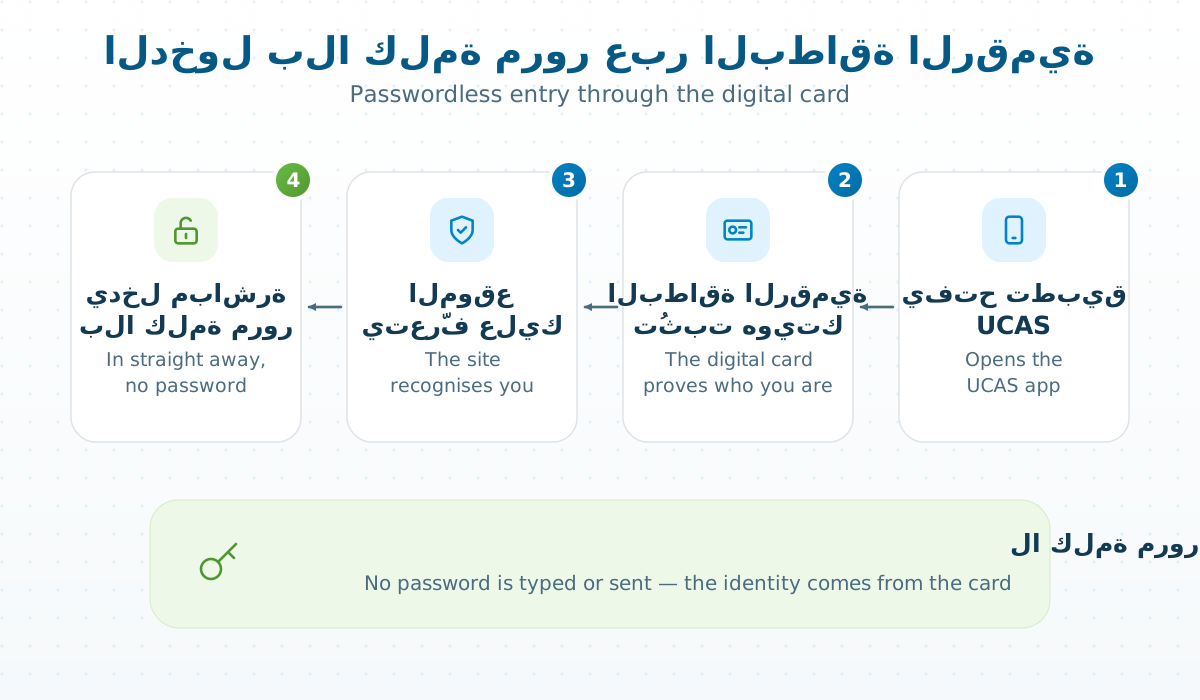
من البطاقة إلى الصفحة بلا كلمة مرور

البطاقة الرقمية تُثبت هويتك لأن التطبيق دخل مسبقاً بحساب الكلية؛ لا كلمة مرور تُكتب ولا تُرسل.

مشاريعيالدخول بالبطاقة الرقمية

تمرين

ماذا يرى من لم يثبّت التطبيق حين يضغط الرابط؟

الإجابة

الصفحة نفسها في المتصفح.

Lesson goals

  1. Make a link open the right screen in the app.
  2. See how the digital card opens the site with no password.

A deep link is an ordinary web address: if the app is installed it opens the intended screen there, otherwise the page opens in the browser.

From the card to the page with no password

The digital card proves who you are because the app already signed in with your college account; no password is typed or sent.

ProjectsSign-in with the digital card

Exercise

What does someone without the app see when they tap the link?

Answer

The same page, in the browser.

التعليقات / Comments

لا تعليقات بعد. كن أول من يسأل. / No comments yet. Be the first to ask.

تعليق الطالب يظهر فوراً، وتعليق الزائر بعد موافقة المدرّس. / A student's comment shows at once; a visitor's once the teacher approves it.

في «تطوير تطبيقات الهاتف» / In “Mobile app development”

  1. 1طبقات التطبيق / The app's layersالتعليقات مفتوحة / comments open
  2. 2دورة الحياة / The lifecycleفيها صور / has picturesالتعليقات مفتوحة / comments open
  3. 3الحديث الآمن مع الخادم / Talking safely to the serverالتعليقات مفتوحة / comments open
  4. 4الروابط والبطاقة الرقمية / Links and the digital cardفيها صور / has picturesالتعليقات مفتوحة / comments open

↑ ↓ للتنقل · Enter للفتح · Esc للإغلاق↑ ↓ to move · Enter to open · Esc to close